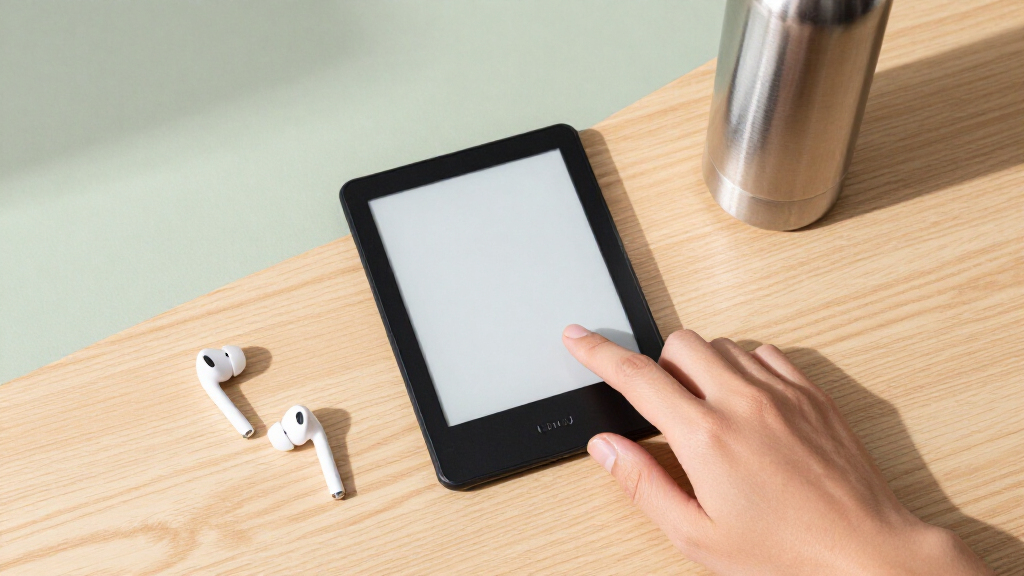

For students, a Kindle e reader solves three recurring problems: heavy textbook bags, expensive print editions, and distractions from phone-based reading apps. The Amazon Kindle Paperwhite Signature Edition (32 GB) earns my best overall pick because it combines a glare-free 7-inch display, adjustable warm light for late-night study sessions, wireless charging, and enough storage for years of assigned reading. Students on tighter budgets should look at the Kindle 16 GB (newest model), which keeps the core reading experience at a lower cost, while the Kindle Scribe stands apart for students who want to annotate PDFs and lecture handouts directly on a large screen. The main tradeoffs in this category are price versus screen size, whether color matters for highlighted diagrams, and whether note-taking justifies a premium device. Keep reading for the full breakdown of all 14 models and which one fits your specific course load.

Prime made for students and young adults
- Fast, free delivery for dorm and study essentials
- Prime Video and Amazon Music included
- Member-only deals
Key Takeaways
- The Paperwhite Signature Edition won best overall because wireless charging and auto-adjusting light matter daily for students, while the standard Paperwhite gives up only those two features for less money.
- Refurbished models (the amazon.com/dp/B0DZ9G3BHP?tag=examprepacademy.org-20&ascsubtag=dc-1116698″ target=”_blank” rel=”nofollow sponsored noopener”>amazon.com/dp/B0CNVBS5JN?tag=examprepacademy.org-20&ascsubtag=dc-1116698″ target=”_blank” rel=”nofollow sponsored noopener”>amazon.com/dp/B0D9ZWBFWQ?tag=examprepacademy.org-20&ascsubtag=dc-1116698″ target=”_blank” rel=”nofollow sponsored noopener”>Kindle 11th Gen and Paperwhite Like-New) proved the smartest value plays, delivering nearly identical reading experiences to new units for students buying on financial aid budgets.
- Color displays (Colorsoft and Colorsoft Kids) only justify their premium for students reading color-coded textbooks, diagrams, or manga — for plain novels and PDFs, monochrome Kindles read sharper.
- The Kindle Scribe is the only model here that replaces a notebook as well as a reader, but its size makes it a poor fit for students who want a pocketable device between classes.
- Kids editions are more than branding: bundled covers, warranties, and no lockscreen ads make the Paperwhite Kids a legitimately strong pick for careless or first-time student owners.
| Amazon Kindle Paperwhite Signature Edition (32 GB) – Denim |  | Best Overall | Display: 6.8-inch, 300 ppi, glare-free, 16-level grayscale | Storage: 32 GB | Battery Life: Up to 10 weeks per charge | VIEW LATEST PRICE | See Our Full Breakdown |
| XTEINK X3 3.7″ Pocket E-Ink eBook Reader, Space Black |  | Best Ultra-Portable Secondary Reader | VIEW LATEST PRICE | See Our Full Breakdown | |||
| Amazon Kindle 16 GB (2024, 11th Gen) – Black |  | Best Value | Display: 6-inch, 300 ppi, glare-free, 16-level grayscale | Storage: 16 GB | Battery Life: Up to 6 weeks per charge | VIEW LATEST PRICE | See Our Full Breakdown |
| Amazon Kindle Colorsoft 16 GB E-reader |  | Best for Highlighters and Visual Content | VIEW LATEST PRICE | See Our Full Breakdown | |||
| Amazon Kindle 16 GB (2024, 11th Gen) – Like-New/Refurbished – Black | | Best Budget Pick | Display: 6-inch, 300 ppi, glare-free, adjustable front light with Dark Mode | Storage: 16 GB | Battery Life: Up to 6 weeks per charge | VIEW LATEST PRICE | See Our Full Breakdown |
| Amazon Kindle Paperwhite Kids (12th Generation, 2024), 16 GB, Cyber City |  | Best for Younger Students | Display: 7-inch Paperwhite, 300 ppi, 16-level grayscale, front light | Storage: 16 GB | Weight: 11.6 oz (329 g) | VIEW LATEST PRICE | See Our Full Breakdown |
| Amazon Kindle Paperwhite 16GB (newest model) – Jade |  | Best Overall | Display: 7-inch, 300 ppi, 16-level grayscale, adjustable warm light | Storage: 16 GB | Weight: 7.4 oz (211 g) | VIEW LATEST PRICE | See Our Full Breakdown |
| Amazon Kindle Paperwhite (16 GB) – Agave Green |  | Best Budget Paperwhite | Display: 6.8-inch, 300 ppi, 16-level grayscale, adjustable warm light | Storage: 16 GB | Weight: 7.23 oz (205 g) | VIEW LATEST PRICE | See Our Full Breakdown |
| Amazon Kindle Paperwhite 16GB (Like-New Refurbished) – Raspberry |  | Best Value Pick | Display: 7-inch glare-free, higher contrast, white-to-amber light | Storage: 16 GB | Page turns: 25% faster than previous generation | VIEW LATEST PRICE | See Our Full Breakdown |
| Amazon Kindle Paperwhite Signature Edition 32GB – Metallic Raspberry |  | Best Premium | Display: 7-inch, 300 ppi, higher contrast, auto-adjusting front light | Storage: 32 GB | Page turns: 25% faster than previous generation | VIEW LATEST PRICE | See Our Full Breakdown |
| Kindle Essentials Bundle including Kindle (2024 release) – Matcha, Fabric Cover, and Power Adapter |  | Best Back-to-School Starter Kit | Display: 6-inch, 300 ppi, built-in front light, 16-level grayscale | Storage: 16 GB | Battery Life: Up to 6 weeks (30 min reading/day, wireless off) | VIEW LATEST PRICE | See Our Full Breakdown |
| Amazon Kindle Kids (16 GB, 11th Generation, 2024) with Cover, Ocean Explorer |  | Best for Younger Students | Display: 6-inch e-paper, 300 ppi, built-in light | Storage: 16 GB | Battery Life: Up to 6 weeks under stated conditions | VIEW LATEST PRICE | See Our Full Breakdown |
| Amazon Kindle Colorsoft Kids 16 GB with cover, Fantasy River |  | Best Premium Kids Pick | Display: 7-inch Colorsoft, 300 ppi B&W, 150 ppi color | Storage: 16 GB | Battery Life: Up to 8 weeks (30 min reading/day) | VIEW LATEST PRICE | See Our Full Breakdown |
| Amazon Kindle Scribe (64GB) with Premium Pen – Metallic Jade |  | Best for Note-Taking Students | Display: 10.2-inch Paperwhite display, 300 ppi, front-lit | Storage: 64 GB | Battery Life: Up to 12 weeks reading, ~3 weeks writing per charge | VIEW LATEST PRICE | See Our Full Breakdown |
| kindle e readers for student | Display | Storage | Battery Life | Charging |
|---|---|---|---|---|
| Amazon Kindle Paperwhite Signa | 6.8-inch, 300 ppi, glare-free, 16-level grayscale | 32 GB | Up to 10 weeks per charge | USB-C or Qi wireless (pad sold separately) |
| XTEINK X3 3.7" Pocket E-Ink eB | — | — | — | — |
| Amazon Kindle 16 GB | 6-inch, 300 ppi, glare-free, 16-level grayscale | 16 GB | Up to 6 weeks per charge | USB-C (~2 hours with 9W adapter) |
| Amazon Kindle Colorsoft 16 GB | — | — | — | — |
| Amazon Kindle 16 GB | 6-inch, 300 ppi, glare-free, adjustable front light with Dark Mode | 16 GB | Up to 6 weeks per charge | USB-C (~2 hours with 9W adapter) |
| Amazon Kindle Paperwhite Kids | 7-inch Paperwhite, 300 ppi, 16-level grayscale, front light | 16 GB | Up to 12 weeks | — |
| Amazon Kindle Paperwhite 16GB | 7-inch, 300 ppi, 16-level grayscale, adjustable warm light | 16 GB | Up to 12 weeks | USB-C, full in under 2.5 hours with 9W adapter |
| Amazon Kindle Paperwhite | 6.8-inch, 300 ppi, 16-level grayscale, adjustable warm light | 16 GB | Up to 10 weeks | USB-C, under 2.5 hours with 9W adapter |
| Amazon Kindle Paperwhite 16GB | 7-inch glare-free, higher contrast, white-to-amber light | 16 GB | Up to 12 weeks | USB-C |
| Amazon Kindle Paperwhite Signa | 7-inch, 300 ppi, higher contrast, auto-adjusting front light | 32 GB | Up to 12 weeks | USB-C plus Qi wireless charging support |
| Kindle Essentials Bundle inclu | 6-inch, 300 ppi, built-in front light, 16-level grayscale | 16 GB | Up to 6 weeks (30 min reading/day, wireless off) | — |
| Amazon Kindle Kids | 6-inch e-paper, 300 ppi, built-in light | 16 GB | Up to 6 weeks under stated conditions | USB-C; ~2 hours with 9W adapter |
| Amazon Kindle Colorsoft Kids 1 | 7-inch Colorsoft, 300 ppi B&W, 150 ppi color | 16 GB | Up to 8 weeks (30 min reading/day) | USB-C; under 2.5 hours with 9W adapter |
| Amazon Kindle Scribe | 10.2-inch Paperwhite display, 300 ppi, front-lit | 64 GB | Up to 12 weeks reading, ~3 weeks writing per charge | USB-C; ~2.5 hours with 9W adapter, ~7 hours from computer |
More Details on Our Top Picks
Amazon Kindle Paperwhite Signature Edition (32 GB) – Denim
For a student who wants one device to carry through four years of textbooks, novels, and PDFs, the Paperwhite Signature Edition is the most complete package here. The 32 GB of storage is the real differentiator — compared with the base Kindle (2024) and its 16 GB, this model comfortably holds dense course readings, large PDFs, and a full personal library without constant deleting. The 6.8-inch 300 ppi display also gives more text per page than the 6-inch Kindle, which reduces page-turn fatigue during long study sessions.
The tradeoffs are real: it’s the heaviest option in this lineup besides the Scribe, it costs more than a standard Paperwhite, and wireless charging requires a separate Qi pad. Compared with the Kindle Colorsoft, its black-and-white screen is sharper for straight text, making it the better pick for heavy readers over highlight-heavy color content.
Pros:- 32 GB storage holds thousands of books plus dense PDFs and textbooks
- 6.8-inch 300 ppi glare-free display fits more text per page than the 6-inch Kindle
- Up to 10 weeks of battery life outlasts the base Kindle’s 6 weeks
- IPX8 waterproofing and adjustable warm light for dorm, café, or bath reading
Cons:- Heaviest mainstream Kindle at 7.3 oz — less pocketable than the base Kindle
- Wireless charging only works with a separately sold Qi pad
- Premium price over the standard Paperwhite for features some students will never use
Best for: Students who load their entire course reading list plus a large personal library onto one device and want the largest screen and battery of the core Kindles
Not ideal for: Budget-limited students — the standard Paperwhite delivers nearly the same reading experience for less, and 16 GB is plenty if your library is mostly cloud-stored
- Display:6.8-inch, 300 ppi, glare-free, 16-level grayscale
- Storage:32 GB
- Battery Life:Up to 10 weeks per charge
- Charging:USB-C or Qi wireless (pad sold separately)
- Weight:7.3 oz (208 g)
- Waterproofing:IPX8 (2 m fresh water for 60 minutes)
- Lighting:Auto-adjusting front light with adjustable warm light
- Wi-Fi:2.4 GHz and 5.0 GHz
Our verdict“The best single purchase for a student who reads a lot, keeps everything on one device, and wants the reading experience to hold up for years.”
XTEINK X3 3.7″ Pocket E-Ink eBook Reader, Space Black
The XTEINK X3 plays a completely different role from every Kindle in this lineup: it’s a pocket-sized 58g companion for reading between classes, on commutes, or while waiting in line. Nothing from Amazon comes close to its portability — even the lightest Kindle (2024) is nearly three times the weight. The gyroscope page-turn and physical buttons genuinely help one-handed reading in a crowded hallway.
The catch is significant: it cannot read DRM-protected books from Kindle, Libby, or most library platforms, which is exactly where students get much of their reading. It only handles DRM-free files you transfer yourself, so it works best as a second device for personal EPUBs and manga rather than a primary e-reader. Battery life of roughly 10 hours also trails the weeks-long runtimes of any Kindle, and the glass construction demands careful handling in a backpack.
Pros:- Truly pocketable at 3.7 inches, 58g, and 5.1mm thin
- Physical buttons and gyroscope page-turns enable easy one-handed reading
- 16 GB built-in plus up to 256 GB expandable storage
- Distraction-free design with no apps or notifications
Cons:- No support for DRM-protected Kindle, Libby, or similar platform books
- Around 10 hours of battery life versus weeks on any Kindle
- Fragile glass construction that needs protection in a bag
Best for: Students who already own a main e-reader and want a tiny distraction-free device for DRM-free books and manga during short gaps in the day
Not ideal for: Anyone wanting a primary reader — no Kindle store, no Libby, no library borrowing means your course texts and most purchased ebooks won’t work on it
Our verdict“A fun, ultra-portable second reader for DRM-free files — but as a student’s only e-reader, the format restrictions are disqualifying.”
Amazon Kindle 16 GB (2024, 11th Gen) – Black
The 2024 base Kindle is the smartest starting point for most students. At 5.56 oz, it’s the lightest Kindle in this lineup, and the newest version adds a 25% brighter front light, higher contrast, and faster page turns — upgrades that narrow the gap with the Paperwhite to the point where the extra spend gets you a bigger screen, waterproofing, and warm light, and little else. For textbook-adjacent reading in a dorm or library, those Paperwhite extras are nice rather than necessary.
The compromises are mostly physical. The 6-inch display shows less text per page than the Paperwhite Signature Edition’s 6.8-inch screen, and there’s no adjustable warm light for late-night reading, no waterproofing for poolside or bathtub use, and battery life tops out at six weeks instead of ten. It’s also not ideal for large PDFs — 16 GB fills fast if you load scanned course packets rather than ebooks.
Pros:- Lightest and most compact Kindle at 5.56 oz — easiest to carry all day
- Brighter 300 ppi display with faster page turns than the previous generation
- Up to 6 weeks of battery life and 16 GB for thousands of books
- Fully distraction-free with no apps, messages, or social media
Cons:- 6-inch screen fits less text per page than the Paperwhite or Colorsoft
- No adjustable warm light or waterproofing
- No wireless charging and a slower USB-C-only charge experience
Best for: Students buying their first e-reader on a budget who mostly read novels, articles, and purchased ebooks and want the lightest device to carry to class
Not ideal for: Highlight-heavy readers and PDF-heavy students — the small screen and lack of warm light make long study sessions and late-night reading less comfortable than the Paperwhite
- Display:6-inch, 300 ppi, glare-free, 16-level grayscale
- Storage:16 GB
- Battery Life:Up to 6 weeks per charge
- Charging:USB-C (~2 hours with 9W adapter)
- Weight:5.56 oz (158 g)
- Lighting:Adjustable front light, 25% brighter, with Dark Mode
- Wi-Fi:2.4 GHz and 5.0 GHz (WPA3 support)
- Sustainability:75% recycled plastics, 90% recycled magnesium
Our verdict“The best value in the lineup — buy this unless a bigger screen, waterproofing, or warm light genuinely matter to your reading habits.”
Amazon Kindle Colorsoft 16 GB E-reader
The Kindle Colorsoft earns its spot for students whose reading is color-coded: if you rely on multi-color highlights, read textbooks with diagrams and charts, or work through illustrated material, this is the only mainstream Kindle that renders it properly. Its 7-inch screen is the largest non-Scribe display in the lineup, and the color highlight system makes organizing notes by theme or course genuinely more useful than grayscale marking on a Paperwhite Signature Edition.
The tradeoff is fundamental: color e-ink has slightly softer text contrast than the Paperwhite’s dedicated black-and-white panel, so readers of plain novels and long-form text are better served elsewhere. Sixteen gigabytes also feels tight for a device meant to hold graphic-heavy textbooks. Battery life of up to 8 weeks sits between the base Kindle and the Paperwhite Signature — strong, but not class-leading.
Pros:- Color display supports multi-color highlights for organized note-taking
- Large 7-inch screen fits more content per page than the base Kindle or Paperwhite
- Up to 8 weeks of battery life per USB-C charge
- Waterproof build with adjustable warm lighting and Dark Mode
Cons:- Text contrast and sharpness trail the black-and-white Paperwhite for pure reading
- 16 GB fills faster with color textbooks and graphic content
- Color screen adds cost over comparable black-and-white Kindles
Best for: Students who annotate heavily in multiple colors, or whose course materials include charts, diagrams, comics, or illustrated textbooks
Not ideal for: Pure fiction readers — text contrast is slightly lower than the Paperwhite and the color capability goes unused on plain novels
Our verdict“Choose the Colorsoft only if color highlighting or visual course content is central to how you study; otherwise the Paperwhite reads text better.”
Amazon Kindle 16 GB (2024, 11th Gen) – Like-New/Refurbished – Black
This certified refurbished Kindle (2024) is functionally the same device as the new base Kindle reviewed above — same 6-inch 300 ppi display, brighter front light, faster page turns, and 6-week battery — at a lower cost, and it carries the same 1-year limited warranty as a new unit. For a student stretching a semester budget, that warranty is what separates this from risky third-party used listings and makes it the cheapest genuinely safe entry into the Kindle ecosystem.
Compared with the refurbished Paperwhite elsewhere in this roundup, you give up the larger 7-inch screen, waterproofing, and warm light. The remaining drawbacks are minor: it may arrive in generic Amazon-branded packaging rather than retail box, and availability fluctuates, so you can’t count on stock when you need it. As with the new base Kindle, 16 GB is ample for purchased ebooks but tight for PDF-heavy coursework.
Pros:- Identical hardware to the new 2024 Kindle with the same 1-year warranty
- Lightest Kindle form factor at 5.56 oz with the brighter, faster display
- Up to 6 weeks of battery life per charge
- Full access to the Kindle store, cloud library, and personal document features
Cons:- Refurbished stock may arrive in generic packaging with inconsistent availability
- VoiceView text-to-speech is English-only
- No warm light, waterproofing, or larger screen — same limits as the new base Kindle
Best for: Budget-conscious students who want the newest base Kindle hardware and ecosystem access with warranty protection at the lowest entry cost
Not ideal for: Students who want guaranteed availability, retail packaging for gifting, or Paperwhite features like the larger screen and waterproofing
- Display:6-inch, 300 ppi, glare-free, adjustable front light with Dark Mode
- Storage:16 GB
- Battery Life:Up to 6 weeks per charge
- Charging:USB-C (~2 hours with 9W adapter)
- Weight:5.56 oz (158 g)
- Wi-Fi:2.4 GHz and 5.0 GHz (WPA3 support)
- Warranty:1-year limited warranty (same as new)
- Condition:Like-New / Certified Refurbished
Our verdict“The cheapest low-risk way into Kindle reading for a student, provided you accept fluctuating availability and the base model’s feature limits.”
Amazon Kindle Paperwhite Kids (12th Generation, 2024), 16 GB, Cyber City
This option stands out for durability and parental oversight, which is exactly what a middle-schooler or high school underclassman needs. The included kid-friendly cover and two-year worry-free guarantee mean a dropped backpack or spilled water bottle isn’t a crisis — a far more forgiving arrangement than the standard one-year warranty on the regular Kindle Paperwhite. The six months of Amazon Kids+ gives students immediate access to a large library of age-appropriate books. The tradeoff is weight: at 11.6 oz with its cover, this is noticeably heavier than the standard Paperwhite, which sits at 7.4 oz. Some accessibility features like VoiceView are also missing here, so families relying on text-to-speech should look at the standard model instead.
Pros:- Two-year worry-free guarantee covers accidental damage
- Waterproof and glare-free for reading anywhere
- Includes cover and six months of Amazon Kids+
- Parental controls keep the reading experience age-appropriate
Cons:- Kids+ subscription renews monthly after the trial unless canceled
- Heavier than the standard Paperwhite at 11.6 oz with cover
- No VoiceView screen reader support
Best for: Parents buying a first e-reader for a middle school or junior high student who needs durability and content controls
Not ideal for: College students or adult readers — the Kids+ framing, added weight, and locked-down ecosystem add friction without benefit
- Display:7-inch Paperwhite, 300 ppi, 16-level grayscale, front light
- Storage:16 GB
- Weight:11.6 oz (329 g)
- Battery life:Up to 12 weeks
- Connectivity:Dual-band Wi-Fi, Bluetooth audio
- Included:Cover, USB-C cable, six months Amazon Kids+
- Guarantee:2-year worry-free guarantee
Our verdict“A smart pick for families who want a rugged, supervised e-reader that survives the school year.”
Amazon Kindle Paperwhite 16GB (newest model) – Jade
The 2024 Kindle Paperwhite hits the sweet spot for most students: a larger 7-inch screen, 25% faster page turns, and up to 12 weeks of battery life. That extra screen size matters for textbook-style PDFs and dense academic reading, where the smaller base Kindle feels cramped. Compared with the 11th-generation Paperwhite in Agave Green, this model is thinner, faster, and lasts two weeks longer per charge. The adjustable warm light makes late-night study sessions easier on the eyes, and the distraction-free software means no notifications pulling focus mid-assignment. Its main limitations are the same as ever: 16 GB fills up if you load lots of audiobooks, and there’s no wireless charging or auto-adjusting light — those belong to the Signature Edition. Lockscreen ads may also apply unless you pay to remove them.
Pros:- Larger 7-inch 300 ppi display with higher contrast
- Up to 12 weeks of battery per charge
- Waterproof IPX8 design
- No social media or notifications to derail studying
Cons:- 16 GB may feel tight for heavy audiobook users
- No wireless charging or auto-adjusting front light
- Lockscreen ads unless removed at purchase
Best for: High school and college students who want the best balance of screen size, battery life, and portability
Not ideal for: Students who want premium extras like wireless charging and an auto-dimming light — step up to the Signature Edition
- Display:7-inch, 300 ppi, 16-level grayscale, adjustable warm light
- Storage:16 GB
- Weight:7.4 oz (211 g)
- Battery life:Up to 12 weeks
- Charging:USB-C, full in under 2.5 hours with 9W adapter
- Waterproofing:IPX8, 2 meters fresh water for 60 minutes
- Generation:12th Generation, 2024 release
Our verdict“The default recommendation for students — it does everything a reading device should without paying for extras most won’t use.”
Amazon Kindle Paperwhite (16 GB) – Agave Green
The 11th-generation Paperwhite remains a strong value pick because its 6.8-inch, 300 ppi display still reads beautifully and the core reading experience is nearly identical to the newer model. Students on a tight budget give up a little: the screen is slightly smaller, page turns are slower, battery life tops out around 10 weeks instead of 12, and charging from a computer takes roughly five hours. But it keeps the features that matter most — adjustable warm light, waterproofing, and USB-C — which the base Kindle lacks. Compared with the 2024 Paperwhite in Jade, this model makes sense when saving money matters more than having the latest hardware. Note that this edition ships in black in some configurations despite the listing color, and it’s a generation behind on software support cycles.
Pros:- Adjustable warm light for comfortable night reading
- Waterproof IPX8 build
- Glare-free 300 ppi display reads like paper
- USB-C charging with fast top-ups
Cons:- Older generation with slower page turns and smaller screen
- Slower charging from a computer (around 5 hours)
- Shorter remaining software update window than 2024 models
Best for: Budget-conscious students who want Paperwhite-level features without paying current-generation pricing
Not ideal for: Anyone wanting the newest hardware — the 2024 Paperwhite is faster, larger, and lasts longer per charge
- Display:6.8-inch, 300 ppi, 16-level grayscale, adjustable warm light
- Storage:16 GB
- Weight:7.23 oz (205 g)
- Battery life:Up to 10 weeks
- Charging:USB-C, under 2.5 hours with 9W adapter
- Waterproofing:IPX8
- Generation:11th Generation, 2021 release
Our verdict“A sensible compromise for students who want the warm light and waterproofing of a Paperwhite while spending less.”
Amazon Kindle Paperwhite 16GB (Like-New Refurbished) – Raspberry
This certified refurbished 12th-generation Paperwhite delivers the same hardware as the full-price Jade model — 7-inch display, 25% faster page turns, 12-week battery — at a lower cost, and it’s backed by the same limited warranty as a new device. For a student stretching a budget across tuition, textbooks, and gear, that math is hard to argue with. Compared with the budget Agave Green model above, this refurbished unit is actually newer hardware for similar or better value. The compromises are cosmetic and practical: expect generic packaging rather than retail presentation, and lockscreen ads may require an extra payment to remove. If the Raspberry colorway matters, note that refurbished inventory fluctuates, so availability is less predictable than new units.
Pros:- Same 12th-generation hardware as the new model
- Backed by the same limited warranty as a new device
- 12-week battery life and waterproof design
- Distraction-free reading with no apps or notifications
Cons:- Generic packaging, not gift-ready
- Refurbished inventory and colors vary unpredictably
- Ad removal may cost extra
Best for: Students who want current-generation Paperwhite hardware at the lowest possible cost
Not ideal for: Gift-givers or anyone who wants sealed retail packaging and exact color choice — buy new instead
- Display:7-inch glare-free, higher contrast, white-to-amber light
- Storage:16 GB
- Page turns:25% faster than previous generation
- Battery life:Up to 12 weeks
- Charging:USB-C
- Waterproof:Yes
- Condition:Certified Refurbished (Like-New)
Our verdict“The smartest spending decision in the lineup if packaging and color choice don’t matter to you.”
Amazon Kindle Paperwhite Signature Edition 32GB – Metallic Raspberry
The Signature Edition is the 2024 Paperwhite with the conveniences a heavy reader will actually notice: 32 GB of storage, an auto-adjusting front light that dims itself in dark dorm rooms, and wireless charging. That storage headroom matters for students juggling audiobooks alongside textbooks — the standard 16 GB Paperwhite fills faster than you’d expect once Audible titles enter the mix. The auto-adjusting light also removes the nightly fiddling that both the Jade and Agave Green models require. The tradeoff is straightforward: you pay a premium for features that are genuinely nice but not necessary, and the wireless charging dock is sold separately. Compared with the Kindle Scribe, this stays focused on reading rather than note-taking, which suits most students better unless they annotate constantly.
Pros:- 32 GB storage fits large libraries and audiobooks
- Auto-adjusting front light adapts to any environment
- Wireless charging support
- Fastest page turns and 12-week battery life
Cons:- Premium price for features many students can skip
- Wireless charging dock sold separately
- Lockscreen ads unless removed at purchase
Best for: Dedicated readers and audiobook listeners who want maximum storage and set-and-forget lighting
Not ideal for: Casual readers on a budget — the standard Paperwhite covers the same fundamentals for less
- Display:7-inch, 300 ppi, higher contrast, auto-adjusting front light
- Storage:32 GB
- Page turns:25% faster than previous generation
- Battery life:Up to 12 weeks
- Charging:USB-C plus Qi wireless charging support
- Waterproofing:IPX8
- Generation:12th Generation, 2024 release
Our verdict“The pick for students who read daily and want a device that removes every small friction point.”
Kindle Essentials Bundle including Kindle (2024 release) – Matcha, Fabric Cover, and Power Adapter
This bundle makes the most sense for students who want a complete reading setup on day one without hunting for accessories separately. The base Kindle (2024 release) delivers a sharp 300 ppi glare-free display with a 25% brighter front light, and pairing it with the fabric cover and 9W adapter means faster two-hour charging instead of the four-hour wait you get from a USB port alone. Compared with the standard Kindle 16 GB sold on its own, this package trades nothing on hardware — you still get six weeks of battery life and 16 GB of storage — but adds protection that matters in a backpack. The tradeoff: this is the entry-level Kindle, not the Paperwhite, so there’s no adjustable warm light and no waterproofing, which the Paperwhite line offers for students who read outdoors or near water.
Pros:- Bundle includes a fabric cover and 9W adapter for faster charging
- 300 ppi glare-free display with dark mode for comfortable study reading
- Up to six weeks of battery life per charge
- 16 GB holds thousands of textbooks and novels
Cons:- No adjustable warm light, unlike the Paperwhite lineup
- Not waterproof, so it’s riskier around spills and weather
Best for: Students starting a new semester who want a cover, charger, and e-reader in one purchase
Not ideal for: Students who read at the pool or want warm-light nighttime reading — this model lacks waterproofing and adjustable warmth
- Display:6-inch, 300 ppi, built-in front light, 16-level grayscale
- Storage:16 GB
- Battery Life:Up to 6 weeks (30 min reading/day, wireless off)
- Charge Time:About 2 hours with 9W adapter, 4 hours via USB
- Dimensions:6.2 x 4.3 x 0.32 inches
- Weight:5.56 oz (158 g)
- Connectivity:Wi-Fi 2.4 GHz and 5.0 GHz, USB-C
- Generation:11th Generation, 2024 release
Our verdict“The smartest first Kindle for a student who wants everything needed for campus reading in a single box.”
Amazon Kindle Kids (16 GB, 11th Generation, 2024) with Cover, Ocean Explorer
Positioned for the younger end of the student spectrum, this Kindle Kids edition pairs the same core hardware as the 2024 Kindle with extras that matter for children: a protective cover, six months of Amazon Kids+, and a two-year worry-free guarantee that replaces the device if it breaks. Compared with the Kindle Paperwhite Kids, this model is lighter and cheaper but gives up the larger 7-inch display, warm light, and waterproofing — a real difference for kids who read in bed or take books to the pool. The parental dashboard lets parents set age filters and device bedtimes, which helps keep late-night reading in check during the school week. The main tradeoff is the subscription: after six months, Kids+ renews automatically unless you cancel, so the value depends on staying on top of that renewal date.
Pros:- Two-year worry-free guarantee covers accidental damage
- Includes cover and six months of Amazon Kids+ content
- Strong parental controls with age filters and device bedtime
- Up to six weeks of battery life for distraction-free reading
Cons:- Kids+ subscription auto-renews after six months unless canceled
- Smaller 6-inch display and no warm light compared with Paperwhite Kids
- Some accessibility features, including VoiceView, are not supported
Best for: Parents of elementary and middle-school students who want parental controls and a breakage guarantee
Not ideal for: Teen or college students — the Kids+ content skews ages 7-12 and the cover adds bulk
- Display:6-inch e-paper, 300 ppi, built-in light
- Storage:16 GB
- Battery Life:Up to 6 weeks under stated conditions
- Weight:9.03 oz (256 g) including cover
- Charging:USB-C; ~2 hours with 9W adapter
- Age Range:Ages 7 and up
- Warranty:2-year worry-free guarantee
Our verdict“A durable, parent-controlled e-reader that suits younger students better than any adult Kindle bundle.”
Amazon Kindle Colorsoft Kids 16 GB with cover, Fantasy River
This is the first color Kindle built for kids, and it earns its premium spot for students who read illustrated books, comics, and graphic novels — content where the standard black-and-white Kindles fall flat. The 7-inch Colorsoft display renders covers and illustrations in paper-like color while keeping 300 ppi for sharp text. Compared with the Kindle Kids (11th Generation), this model adds a full twelve months of Amazon Kids+, waterproofing (IPX8), adjustable warm light, and two extra weeks of battery life — meaningful upgrades for year-round use. Against the Kindle Colorsoft adult version, the differences are the kid cover, parental dashboard, and longer guarantee rather than hardware. The tradeoffs are real: it’s the heaviest kids Kindle at 11.8 oz, color resolution drops to 150 ppi for images, and the color layer makes the display look slightly less crisp and bright than a Paperwhite.
Pros:- First color display on a kids Kindle, ideal for illustrated content
- Waterproof (IPX8) for pool and beach reading
- 12 months of Amazon Kids+ included
- Up to 8 weeks of battery life with adjustable warm light
Cons:- Heaviest kids Kindle at 11.8 oz with cover
- Color images render at 150 ppi and the display looks dimmer than Paperwhite
- Kids+ auto-renews monthly after the included year ends
Best for: Parents of kids aged 3-12 whose readers gravitate toward illustrated chapter books, comics, and series like Percy Jackson
Not ideal for: Budget-conscious families or kids who read text-only novels — a standard Kindle Kids does that job for less
- Display:7-inch Colorsoft, 300 ppi B&W, 150 ppi color
- Storage:16 GB
- Battery Life:Up to 8 weeks (30 min reading/day)
- Waterproofing:IPX8, submersible to 2 m fresh water for 60 min
- Weight:11.8 oz (334 g)
- Charging:USB-C; under 2.5 hours with 9W adapter
- Warranty:2-year worry-free guarantee
- Generation:Colorsoft Kids 1st Generation, 2025 release
Our verdict“The best choice for young readers whose libraries are full of color — as long as the weight and renewal terms don’t put you off.”
Amazon Kindle Scribe (64GB) with Premium Pen – Metallic Jade
For students whose studying lives in annotations as much as reading, the Scribe is the only Kindle in this lineup that replaces both a notebook and an e-reader. The 10.2-inch, 300 ppi display gives text-heavy PDFs and textbooks room to breathe — something no 6- or 7-inch Kindle can match — while the included Premium Pen requires no charging and feels like ink on paper. Active Canvas lets you write notes directly in the margins of a book, and the AI notebook tools convert handwriting into clean text and summarize lecture notes, which is genuinely useful during revision. Importing PDFs through Send to Kindle makes it a real study companion, unlike the distraction-free Kindle Essentials Bundle, which is reading-only. The tradeoffs: at 15.3 oz and notebook-sized, it’s far less portable than every other pick here, and annotation drains the battery down to about three weeks of writing per charge.
Pros:- Large 10.2-inch 300 ppi display ideal for textbooks and PDFs
- Premium Pen needs no charging and writes directly on book pages via Active Canvas
- AI tools convert and summarize handwritten notes
- 64 GB storage plus document import through Send to Kindle
Cons:- Bulky and heavy compared with every 6-7 inch Kindle here
- Writing-heavy use cuts battery life to about 3 weeks
- Much more expensive than dedicated reading Kindles
Best for: College and graduate students who annotate textbooks, mark up PDFs, and want one device for reading plus handwritten notes
Not ideal for: Commuters or anyone wanting a pocketable reader — the 10.2-inch size is a bag commitment, not a jacket-pocket device
- Display:10.2-inch Paperwhite display, 300 ppi, front-lit
- Storage:64 GB
- Battery Life:Up to 12 weeks reading, ~3 weeks writing per charge
- Weight:15.3 oz (433 g) device; Premium Pen 0.60 oz (17 g)
- Dimensions:7.7 x 9.0 x 0.22 inches
- Charging:USB-C; ~2.5 hours with 9W adapter, ~7 hours from computer
- Connectivity:Wi-Fi 5, Bluetooth 5.2
- Included:Premium Pen, 5 replacement tips, tip replacement tool, USB-C cable
Our verdict“The pick for students who treat notes as seriously as reading — everyone else should stick with a smaller, cheaper Kindle.”

How We Picked
I judged each model through one specific lens: how well it serves a student’s actual reading life — long assigned chapters, late-night study, library PDFs, and backpack abuse. The criteria that separated the ranking were screen readability (glare resistance, warm light, and contrast for long sessions), battery endurance across a full week of classes without charging, build durability for bag life, and storage and format support for textbooks and course PDFs. I also weighed distraction resistance, since Kindles without apps, games, or videos keep focus in a way tablets cannot.
The ranking logic favors devices that deliver the most reading value per dollar at the top, with premium options earning their place only through features students genuinely use — note-taking, color, or larger displays. Refurbished units were evaluated against their new equivalents to find where the savings outweigh the risks. Kids editions were included deliberately: their included covers and ad-free lockscreens often make them better student buys than the equivalent adult models.
Factors to Consider When Choosing Kindle E Readers For Students
Before choosing a specific model, it helps to understand what actually separates a good student e reader from an expensive mistake. These are the factors I weighed most heavily, plus the missteps students make most often.Screen Size and Glare: Where Reading Actually Happens
Students read in environments that punish tablets: fluorescent lecture halls, sunny quads, and dim dorm rooms. A glare-free e-ink display is non-negotiable for outdoor reading, and the difference between a 6-inch and 7-inch screen compounds over hundreds of pages of assigned reading — larger displays mean fewer page turns and less eye fatigue during marathon sessions. Warm light adjustment sounds like a luxury until a 1 a.m. study session, when blue-tinted backlighting makes falling asleep afterward noticeably harder. The mistake I see most often is students buying the smallest, cheapest model first, then upgrading within a year once the screen feels cramped for dense textbook layouts. If your course load leans toward PDFs or scanned readings, a 7-inch display is worth the premium; if you mostly read novels, the compact 6-inch models hold up fine.
Storage: 16 GB Is the Student Sweet Spot
Storage anxiety drives a lot of overspending, but the math rarely justifies it. E-books are small files — a 16 GB model holds thousands of novels, which covers an entire degree’s worth of leisure reading. Where storage actually matters is audiobooks, comics, manga, and PDF-heavy course loads, where files can run 50–200 MB each. Students who plan to use their Kindle for Audible listening or graphic-novel-format textbooks are the ones who benefit from 32 GB. Another point that surprises buyers: cloud storage keeps your Amazon library re-downloadable, so deleting a finished book is not permanent. Paying extra for storage you will not fill is one of the most common wasted dollars in this category.
Refurbished Versus New: The Honest Tradeoff
Amazon’s Like-New refurbished units occupy a strange spot in this lineup: same screen, same battery life, same warranty coverage as new, at a lower price. The genuine risks are cosmetic imperfections and shorter effective battery lifespan, since lithium-ion cells degrade with age even when lightly used. For a device a student will replace in three or four years anyway, that tradeoff often favors the refurb — the reading experience is identical because the hardware is identical. The exception is buyers who keep devices for many years or resell them, where a new unit retains more value. My rule of thumb: if the savings fund a protective cover and a case, the refurb is the smarter student purchase; if the difference is small, buy new for peace of mind.
Color Displays: When They Matter and When They Don’t
Color e-ink is the newest variable in this category, and it is easy to overvalue. A color Kindle genuinely helps students working with color-coded diagrams, anatomy illustrations, annotated slides, or highlighted charts, where monochrome rendering destroys information. But color e-ink panels trade some contrast and sharpness for that ability — plain black text on white looks crisper on a monochrome Paperwhite than on any color model. Students in STEM, medicine, or design fields are the realistic color audience; literature and history students are paying a premium for a feature their reading never exercises. Ask yourself honestly how much of your assigned reading depends on color before deciding, because this is the single most expensive feature upgrade in the lineup.
Distraction-Free Reading Versus Multifunction Tablets
The strongest argument for any Kindle over a cheap tablet is what it cannot do: no social media, no video apps, no notifications pulling attention mid-chapter. For students who struggle to stay on task, a single-purpose reading device quietly removes the biggest obstacle to finishing assigned reading. The tradeoff is real, though — a Kindle cannot run course apps, play lecture recordings, or handle messaging, so it is a companion device rather than a tablet replacement. The Kindle Scribe blurs this line somewhat with notebook features and PDF annotation, which is why it earns a spot despite its price. Students who already own a laptop and phone will find a Kindle fills the gap those devices handle poorly: sustained, comfortable reading.
Kids Editions: The Underrated Student Buy
The Kids branding hides a genuinely practical package for students. These bundles typically include a fabric cover, an extended warranty against accidental damage, and an ad-free lockscreen — three things a student would otherwise buy separately. When you price the adult model plus a decent case plus removing lockscreen ads, the Kids edition often comes out ahead for the identical hardware inside. The drawback is limited cover color choices and a device marketed at a demographic you outgrew, which bothers some buyers aesthetically. Durability coverage matters more than most students admit: cracked screens from backpack drops are the most common Kindle failure mode I see discussed among student buyers.
Frequently Asked Questions
Can a Kindle handle PDFs and scanned course readings, or do I need a tablet?
Kindles can open PDFs, but the experience depends heavily on screen size. On a 6-inch model, full-page PDFs render at unreadably small text unless you zoom and pan constantly, which is tedious for long assignments. The 7-inch Paperwhite models handle standard PDFs adequately, while the Kindle Scribe’s large display is the only option here that makes dense, two-column academic PDFs genuinely comfortable. Converting PDFs to Kindle format through the Send to Kindle service reflows text and solves much of the problem, but it works poorly on scanned documents with complex layouts. If your professors distribute scanned or heavily formatted readings, screen size should drive your decision more than any other spec.
Is a color Kindle worth it for a student, or is monochrome fine?
It depends entirely on what you read, not on how nice color sounds. Color e-ink adds real value for students in fields with visual content — anatomy diagrams, color-coded chemistry structures, geography maps, or annotated slides where highlight colors carry meaning. For novels, essay collections, and most humanities texts, monochrome screens actually display sharper text, and the color premium buys nothing you will use. Color models also cost considerably more than comparable Paperwhites, which is meaningful money on a student budget. My honest framing: buy color because your coursework demands it, not because it is the newest technology.
Are refurbished Kindles reliable enough for daily student use?
Amazon’s Like-New refurbs are generally safe buys because they carry the same warranty as new units and use the same internal hardware — you are accepting cosmetic variation and a battery with some prior wear, not a different device. For a student replacing their e reader every few years, the shorter remaining battery lifespan rarely becomes a problem, since even a degraded Kindle battery still lasts weeks per charge rather than days. The risk rises if you plan to keep the device for many years or resell it later, where new hardware holds value better. If the savings are meaningful, I would direct them toward a protective case, since drops damage more student Kindles than component failures ever will. Check the return window on arrival for dead pixels or backlight unevenness, which are the main refurb-specific defects.
Do I need to pay extra to remove lockscreen ads, or does it matter?
Lockscreen ads on standard Kindle models show sponsored screensavers when the device sleeps — they never interrupt reading itself, so the impact is smaller than many buyers fear. That said, students who open their Kindle dozens of times daily during study sessions often find the ads a persistent minor annoyance, and removing them after purchase costs more than paying upfront on an ad-free model. The Signature Editions and Kids editions ship without ads included, which quietly improves their value math when comparing against standard models plus the ad-removal fee. For a device you will glance at constantly through a semester, most students end up preferring the clean lockscreen. Factor the ad-free question into your price comparison rather than treating it as a separate later decision.
Which Kindle is best for highlighting and annotating textbooks?
All Kindles support text highlighting and notes on purchased books, and synced highlights export through Amazon’s notebook interface, which works well for building study guides. The experience is fastest on the newest Paperwhite models, whose 20 percent speed boost makes tapping and selecting text feel noticeably less laggy. Where the lineup diverges sharply is handwritten annotation: the Kindle Scribe is the only model with a pen, letting you write directly in PDFs, markup lecture handouts, and keep a digital notebook — functions no other Kindle here performs. If your study method relies on marginalia and handwritten notes, the Scribe justifies its price; if you only highlight passages, a standard Paperwhite does the job for far less. Match the device to your actual annotation habit rather than assuming you need a pen.
Conclusion
For most students, the Paperwhite Signature Edition is the best overall choice — the 7-inch glare-free display, warm light, wireless charging, and 32 GB of storage cover every realistic academic scenario without compromise. The Amazon Kindle 16 GB (newest model) is my best value pick for budget-conscious students, while the refurbished Paperwhite stretches a financial aid check even further for the same core experience. Students who want premium capability should choose the Kindle Scribe for note-taking and PDF annotation, or the Colorsoft if their coursework depends on color diagrams. For beginners and younger students — or anyone accident-prone — the Paperwhite Kids bundle with its cover and damage coverage is the smartest entry point. Whatever you choose, buy for the reading you actually do, not the features that sound impressive: your course load, not the spec sheet, should make this decision.
Halloween Picks
halloween
As an affiliate, we earn on qualifying purchases.