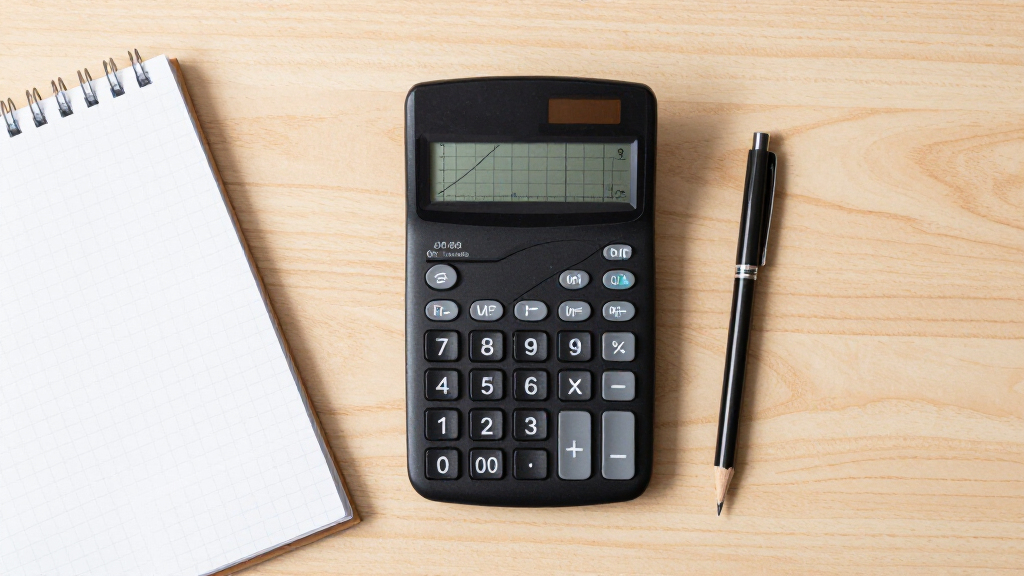

Choosing among graphing calculators for students usually comes down to one question: TI-84 or something different? The Texas Instruments TI-84 Plus CE earns my best overall pick because it is the model most teachers demonstrate with, it is approved for the SAT, ACT, and AP exams, and its color screen and slim body make daily use painless. The Casio fx-9750GIII is the standout value alternative — it matches most TI-84 functions, adds Python, and costs far less — while the TI-Nspire CX II CAS is the premium choice for calculus and engineering coursework. The main tradeoffs students face are exam approval versus advanced features, teacher familiarity versus price, and rechargeable convenience versus battery simplicity. Keep reading for the full breakdown of all 15 models, including budget scientific-graphing hybrids and renewed options worth considering.

Prime made for students and young adults
- Fast, free delivery for dorm and study essentials
- Prime Video and Amazon Music included
- Member-only deals
Key Takeaways
- The TI-84 family dominates this lineup with eight of fifteen spots, and that saturation reflects real classroom reality: teachers teach to the TI-84, so its higher price buys familiarity rather than superior hardware.
- Casio‘s fx-9750GIII and Prizm FX-CG50 matched or beat comparable TI models on raw capability in this comparison, which makes them the smart picks for self-directed students whose teachers don’t mandate a specific model.
- The CAS-enabled TI-Nspire CX II CAS is the most powerful calculator here but is banned on the ACT and some other standardized tests — a serious limitation that keeps it from ranking higher for general students.
- Renewed TI-84 units are the strongest budget path into the TI ecosystem, but the savings come with older monochrome screens and worn batteries, so they suit backup or short-term use more than a four-year high school run.
- The CATIGA CS-121 and CS-229 are the cheapest graphing-capable options in the lineup, but neither is a safe bet for standardized exams — they are best treated as practice calculators for middle schoolers, not primary high school tools.
| Texas Instruments TI-84 Plus Graphics Calculator, Black (Renewed) |  | Best Budget Entry into the TI Ecosystem | Brand: Texas Instruments | Model: TI-84 Plus | Condition: Renewed (refurbished) | VIEW LATEST PRICE | See Our Full Breakdown |
| Texas Instruments TI-84 Evo Graphing Calculator, White |  | Best Overall | Brand: Texas Instruments | Model: TI-84 Evo | Processor: 3x faster than previous design | VIEW LATEST PRICE | See Our Full Breakdown |
| Casio Prizm FX-CG50 Color Graphing Calculator |  | Best for Visual Learners | Brand: Casio | Model: Prizm FX-CG50 | Display: High-resolution color, 65,000+ colors | VIEW LATEST PRICE | See Our Full Breakdown |
| Texas Instruments TI-84 Plus Graphing Calculator, Black |  | Best Classic Classroom Standard | Model: TI-84 Plus | Color: Black | Display Resolution: 96 × 64 | VIEW LATEST PRICE | See Our Full Breakdown |
| TI-83 Plus Graphing Calculator |  | Best Bare-Minimum Test-Approved Pick | Model: TI-83 Plus | Display: 64 × 96 pixels, 8 × 16 characters | RAM: 24 KB | VIEW LATEST PRICE | See Our Full Breakdown |
| Texas Instruments TI-84 Plus Silver Edition Graphing Calculator (Renewed) |  | Best Budget Entry into the TI-84 Ecosystem | Brand: Texas Instruments | Model: TI-84 Plus Silver Edition | Model Number: TI-84 PLUS SILV-cr | VIEW LATEST PRICE | See Our Full Breakdown |
| Texas Instruments TI-Nspire CX II Color Graphing Calculator with Student Software (PC/Mac) |  | Best for Deep Conceptual Learning | Brand: Texas Instruments | Model: TI-Nspire CX II | Color: White | VIEW LATEST PRICE | See Our Full Breakdown |
| Texas Instruments TI-84 Plus CE Color Graphing Calculator, Black |  | Best Overall | Brand: Texas Instruments | Model: TI-84 Plus CE | Color: Black | VIEW LATEST PRICE | See Our Full Breakdown |
| CATIGA CS-121 Scientific Calculator with Graphic Functions |  | Best Value Pick | Model: CS-121 | Functions: 360+ | Modes: 3 (angle-measurement, calculation, display) | VIEW LATEST PRICE | See Our Full Breakdown |
| NumWorks Graphing Calculator |  | Best for Beginners | Screen Resolution: 320 × 240 pixels | Display: Color screen | Supported Languages: English, French, Dutch, Portuguese, Italian, German, Spanish | VIEW LATEST PRICE | See Our Full Breakdown |
| Texas Instruments TI-84 Plus Graphics Calculator, Black |  | Best Classic Classroom Pick | Display: 2.8-inch diagonal, 320 x 240 pixels, monochrome | Graphing Functions: Up to 10 at once | Graph Styles: 7 | VIEW LATEST PRICE | See Our Full Breakdown |
| Texas Instruments TI-Nspire CX II CAS Color Graphing Calculator with Student Software for PC and Mac |  | Best Premium Pick | Screen: 3.5-inch diagonal, 320 x 240 pixels, 16-bit color | Screen Density: 125 DPI | Battery: Rechargeable, up to two weeks per charge | VIEW LATEST PRICE | See Our Full Breakdown |
| Texas Instruments TI-84 Plus CE Graphing Calculator – Rose Curve Gold |  | Best Overall | Brand: Texas Instruments | Model: TI-84 Plus CE | Color: Rose Curve Gold | VIEW LATEST PRICE | See Our Full Breakdown |
| Casio fx-9750GIII Graphing Calculator with Python Programming – Pink |  | Best Value Pick | Model: Casio fx-9750GIII | Color: Pink | Display: Natural Textbook Display | VIEW LATEST PRICE | See Our Full Breakdown |
| CATIGA CS-229 Scientific Graphing Calculator |  | Best Budget Backup | Brand: CATIGA | Model: CS-229 | Type: Scientific and graphing hybrid | VIEW LATEST PRICE | See Our Full Breakdown |
| graphing calculators for student | Model | Display | Brand |
|---|---|---|---|
| Texas Instruments TI-84 Plus G | TI-84 Plus | Multi-line monochrome | Texas Instruments |
| Texas Instruments TI-84 Evo Gr | TI-84 Evo | — | Texas Instruments |
| Casio Prizm FX-CG50 Color Grap | Prizm FX-CG50 | High-resolution color, 65,000+ colors | Casio |
| Texas Instruments TI-84 Plus G | TI-84 Plus | — | — |
| TI-83 Plus Graphing Calculator | TI-83 Plus | 64 × 96 pixels, 8 × 16 characters | — |
| Texas Instruments TI-84 Plus S | TI-84 Plus Silver Edition | — | Texas Instruments |
| Texas Instruments TI-Nspire CX | TI-Nspire CX II | High-resolution full-color | Texas Instruments |
| Texas Instruments TI-84 Plus C | TI-84 Plus CE | — | Texas Instruments |
| CATIGA CS-121 Scientific Calcu | CS-121 | — | — |
| NumWorks Graphing Calculator | — | Color screen | — |
| Texas Instruments TI-84 Plus G | — | 2.8-inch diagonal, 320 x 240 pixels, monochrome | — |
| Texas Instruments TI-Nspire CX | — | — | — |
| Texas Instruments TI-84 Plus C | TI-84 Plus CE | High-resolution, full-color backlit | Texas Instruments |
| Casio fx-9750GIII Graphing Cal | Casio fx-9750GIII | Natural Textbook Display | — |
| CATIGA CS-229 Scientific Graph | CS-229 | Simultaneous graph and formula view | CATIGA |
More Details on Our Top Picks
Texas Instruments TI-84 Plus Graphics Calculator, Black (Renewed)
For students who need the calculator their teacher will actually demonstrate on, this renewed TI-84 Plus is the cheapest legitimate route into the TI ecosystem. Functionally it is the same machine as the new-unit TI-84 Plus elsewhere in this roundup — 200+ functions, parametric and polar graphing, and enough statistics horsepower for AP Stats — but at a lower cost because it’s refurbished. The tradeoff is cosmetic: renewed units can show scuffs and worn key labels, which matters if you’re squeamish about hand-me-downs.
Compared with the Casio Prizm FX-CG50, you give up color and 3D graphing, and the monochrome display feels dated. But teachers overwhelmingly teach on TI-84s, so keystroke-for-keystroke classroom compatibility often beats prettier screens for struggling students.
Pros:- Same full TI-84 Plus functionality at a lower price point
- 200+ built-in functions covering algebra through statistics
- Approved for standardized tests and universally recognized by teachers
- Handles matrices up to 50×50 and 999-element lists
Cons:- Renewed condition means cosmetic quality can vary unit to unit
- Monochrome display and older interface feel dated
- Runs on replaceable batteries rather than USB recharge
Best for: Students on a tight budget whose math class standardizes on the TI-84 platform and who don’t mind a cosmetically imperfect unit
Not ideal for: Students who want a modern experience — the monochrome screen and aging interface lag far behind the TI-84 Evo or TI-84 Plus CE
- Brand:Texas Instruments
- Model:TI-84 Plus
- Condition:Renewed (refurbished)
- Functions:200+ built-in
- Display:Multi-line monochrome
- Calculation Accuracy:14-digit
- Graphing:Rectangular, parametric, polar, sequence; up to 10 functions at once
- Matrix Storage:Up to 10 matrices (50×50)
Our verdict“A sensible budget pick for students who need TI-84 classroom compatibility without paying new-unit prices.”
Texas Instruments TI-84 Evo Graphing Calculator, White
The TI-84 Evo is what happens when TI fixes nearly every complaint students had about the classic line. A processor three times faster means graphs redraw instantly instead of crawling, and 50% more graphing space makes behavior at the edges of a window visible without constant zoom adjustments — a real advantage on exams where time is the enemy. Add USB-C charging and built-in Python, and it outclasses the renewed TI-84 Plus on every measurable front.
The Evo also ships with a four-year online calculator subscription, which stretches its value across a full high school career. Compared with the Casio Prizm FX-CG50, the Evo’s rechargeable battery and modern interface feel more future-proof, though the Casio counters with 3D graphing the Evo doesn’t match. As the do-everything classroom workhorse, this pick makes the most sense for most students.
Pros:- Three-times-faster processor eliminates sluggish graph redraws
- Larger graphing window makes function behavior easier to read
- USB-C charging with rechargeable battery — no more buying AAs
- Approved for ACT, SAT, PSAT/NMSQT, IB, and AP exams
Cons:- Newer platform, so some teachers and tutorial resources still reference the older TI-84 interface
- Lacks 3D graphing offered by the Casio Prizm FX-CG50
- Premium positioning means budget-limited students may prefer the renewed TI-84 Plus
Best for: High school students starting algebra or geometry who want one calculator to last through AP Calculus, AP Statistics, and the SAT or ACT
Not ideal for: Students needing CAS symbolic manipulation — the Evo doesn’t do it, so the TI-Nspire CX II CAS is the better route
- Brand:Texas Instruments
- Model:TI-84 Evo
- Processor:3x faster than previous design
- Graphing Space:50% more than previous design
- Charging:USB-C, rechargeable battery
- Programming:Built-in Python
- Included Subscription:4 years of TI-84 Evo online calculator
- Exam Compatibility:ACT, SAT, PSAT/NMSQT, IB Diploma, AP
Our verdict“The calculator to buy if you want modern speed, rechargeable convenience, and full exam approval in one package.”
Casio Prizm FX-CG50 Color Graphing Calculator
This option stands out for its 65,000+ color high-resolution display and genuine 3D graphing — rotate a sphere or a plane and spatial reasoning stops being abstract. For calculus students visualizing surfaces, nothing else in this batch competes, including the TI-84 Evo. The Natural Textbook Display renders fractions and radicals the way they appear in the textbook, which reduces transcription errors.
The tradeoffs are real, though. It runs on four AAA batteries while the Evo recharges over USB-C, and Casio’s icon-based menu system diverges from the TI keystrokes most American teachers demonstrate in class. Compared with the renewed TI-84 Plus, you get a far richer visual experience but a steeper learning curve and less classroom alignment. This model is better suited to self-directed students or classrooms that standardize on Casio.
Pros:- High-resolution color display with 65,000+ colors
- Unique 3D graphing for spheres, cylinders, and planes
- Natural Textbook Display reduces input and reading errors
- Approved for AP, SAT, PSAT, and ACT
Cons:- AAA batteries instead of rechargeable USB-C charging
- Icon-based menu system takes time to learn for TI converts
- Less classroom and tutorial support in TI-centric schools
Best for: Visual learners and calculus students who benefit from 3D graphing and a color screen, especially in Casio-standard classrooms
Not ideal for: Students whose teachers demonstrate every step on TI calculators — the different menu logic will create friction all year
- Brand:Casio
- Model:Prizm FX-CG50
- Display:High-resolution color, 65,000+ colors
- 3D Graphing:Spheres, cylinders, planes
- Programming:MicroPython
- Power Source:Four AAA batteries
- Included Accessories:Protective hard case, quick start guide, USB cable
- Weight:12.8 ounces
- Warranty:One year limited
Our verdict“The strongest pick for students who learn by seeing, provided their classroom isn’t locked into TI keystrokes.”
Texas Instruments TI-84 Plus Graphing Calculator, Black
This is the new-condition TI-84 Plus — the exact calculator a majority of American math classrooms are built around. Unlike the renewed version elsewhere in this roundup, you get a pristine unit with a full protective case, USB cable, and preloaded apps covering everything from pre-algebra to finance. For a student who wants zero friction following along in class, that alignment is the entire value proposition.
But be honest about what you’re buying: the 96 × 64 monochrome display is low resolution by any modern standard, and graph redraws are slow next to the TI-84 Evo’s triple-speed processor. This pick makes the most sense for families prioritizing teacher compatibility and condition over screen quality, or for business and finance coursework where the TI-84’s financial apps still shine.
Pros:- Exact match for TI-84 classroom instruction and tutorials
- Preloaded apps span algebra through biology, physics, and finance
- Protective case and USB cable included
- Covered across a very wide range of academic subjects
Cons:- 96 × 64 monochrome display is the lowest resolution in this lineup
- Slower processor than the TI-84 Evo
- Uses replaceable batteries rather than USB-C recharging
Best for: Students and parents who want a brand-new, guaranteed-condition version of the calculator their teacher uses daily
Not ideal for: Anyone wanting a modern screen or fast performance — the Evo and Plus CE deliver both for a modest step up
- Model:TI-84 Plus
- Color:Black
- Display Resolution:96 × 64
- RAM:24 KB
- ROM:480 KB
- Included Accessories:Protective case, USB cable
- Subjects Supported:Pre-algebra, algebra, geometry, statistics, biology, physics, business, finance
Our verdict“The safe, familiar classroom standard for buyers who value condition and teacher compatibility over modern hardware.”
TI-83 Plus Graphing Calculator
The TI-83 Plus is the aging ancestor of everything TI sells today, and it still clears every exam hurdle: SAT, PSAT/NMSQT, ACT, AP, IB, and Praxis. For a student who needs a legitimate exam-legal graphing calculator at the lowest possible entry point — or one handed down from an older sibling — it will graph, run recursive sequences, and handle time-value-of-money and cash-flow math for a personal finance course.
The compromises are stark, though. With 160 KB of Flash ROM versus 480 KB on the TI-84 Plus, and a pokier processor, it struggles with heavy statistics work and complex programs. Compared with the renewed TI-84 Plus, which costs only slightly more in most cases, the 83’s main justification is availability or an existing hand-me-down. This model is better suited to light-duty graphing than to AP-level coursework.
Pros:- Approved for SAT, PSAT/NMSQT, ACT, AP, IB, and Praxis exams
- Handles recursive sequence graphing and complex numbers
- Built-in financial functions for TVM, cash flows, and amortization
- Familiar TI keystroke logic shared with the TI-84 family
Cons:- Only 160 KB Flash ROM and 24 KB RAM — half the storage of the TI-84 Plus
- Slow processor makes graphing and large-list work sluggish
- Low-resolution 64 × 96 display with no modern interface refinements
Best for: Students on the tightest budgets, or those inheriting one, who need basic graphing and full exam approval for standard math classes
Not ideal for: AP Statistics or AP Calculus students — limited memory and speed make heavy datasets and complex programs painful
- Model:TI-83 Plus
- Display:64 × 96 pixels, 8 × 16 characters
- RAM:24 KB
- Flash ROM:160 KB
- Exam Approval:SAT, PSAT/NMSQT, ACT, AP, IB, Praxis
- Key Functions:Recursive sequences, TVM, cash flows, amortization, complex numbers
Our verdict“A workable last-resort pick for budget or hand-me-down buyers, but most students should stretch to the TI-84 line if they can.”
Texas Instruments TI-84 Plus Silver Edition Graphing Calculator (Renewed)
For students who need the TI-84 platform teachers actually teach from but don’t want to pay new-unit prices, this renewed Silver Edition is a sensible compromise. It carries the same calculus, engineering, trig, and financial functions as the standard TI-84 Plus in this roundup, but adds USB on-the-go file sharing and 21 preloaded apps, which the basic model doesn’t match. The split-screen graph-and-table view is genuinely useful when tracing functions during homework.
The tradeoff is condition: this is a refurbished unit with only a 90-day warranty, whereas the new TI-84 Plus CE costs more but arrives fresh with a rechargeable battery and color screen. If your course depends on following along with a teacher’s keystrokes, this option stands out for compatibility at a lower entry cost — just accept the shorter safety net.
Pros:- Full TI-84 functionality including calculus, engineering, and financial math
- USB on-the-go file sharing with other calculators and PCs
- 21 preloaded apps and split-screen graph/table display
- Professionally inspected and tested under the Amazon Renewed Guarantee
Cons:- Refurbished, not new — cosmetic wear is possible
- Only a 90-day limited warranty
Best for: High school students whose teachers demonstrate on a TI-84 and who want the familiar platform at a lower cost
Not ideal for: Students starting a multi-year math track who need a long warranty and modern color display
- Brand:Texas Instruments
- Model:TI-84 Plus Silver Edition
- Model Number:TI-84 PLUS SILV-cr
- Preloaded Apps:21
- Connectivity:USB on-the-go
- Condition:Renewed / Refurbished
- Warranty:90 days limited
Our verdict“A smart pickup for students who need TI-84 compatibility on a budget and can live with a refurb and short warranty.”
Texas Instruments TI-Nspire CX II Color Graphing Calculator with Student Software (PC/Mac)
The TI-Nspire CX II approaches math differently from every TI-84 in this lineup. Instead of mimicking keystroke menus, it offers multiple linked visualizations — change an equation and the graph, table, and geometry view update together — which is why it makes the most sense for students who learn by seeing relationships rather than memorizing button sequences.
Compared with the TI-84 Plus CE, it feels closer to a small computer, with a high-resolution color screen and a rechargeable battery. The bundled 4-year student software license for PC and Mac effectively extends the calculator onto a laptop, something no other pick here includes. The tradeoffs: that license expires after four years, there’s no internet capability, and the steeper learning curve means it’s overkill for a class taught entirely on the TI-84’s simpler interface.
Pros:- Linked color visualizations help build conceptual understanding
- Rechargeable battery with long run time
- Approved for PSAT/NMSQT, SAT, ACT, AP, and IB exams
- Includes a 4-year student software license for PC and Mac
Cons:- Steeper learning curve than TI-84 models
- Software license expires after 4 years
- No internet connectivity features
Best for: Students in advanced algebra-through-calculus courses who benefit from visual, exploratory learning and want desktop software to match
Not ideal for: Students whose teachers demonstrate step-by-step on a TI-84 — the different interface can cause confusion in class
- Brand:Texas Instruments
- Model:TI-Nspire CX II
- Color:White
- Display:High-resolution full-color
- Power:Rechargeable battery
- Software:Student software (PC/Mac), 4-year license
- Exam Approval:PSAT/NMSQT, SAT, ACT, AP, IB
Our verdict“The strongest choice for students who want to understand math visually and need a calculator that pairs with desktop software.”
Texas Instruments TI-84 Plus CE Color Graphing Calculator, Black
This is the calculator I’d point most students toward first. The TI-84 Plus CE hits the sweet spot the entire roundup orbits around: it’s the model the majority of math teachers demonstrate on, it’s slimmer and lighter than the older TI-84 Plus Silver Edition, and its color display makes overlapping graphs far easier to read than the monochrome screens on the renewed units elsewhere in this list.
MathPrint is the quiet advantage — fractions, exponents, and formulas appear the way textbooks print them, which reduces transcription errors on homework and exams. Battery life is excellent at up to a month per charge, and the included 4-year online calculator subscription adds backup access. The tradeoffs are real, though: it costs noticeably more than the Casio and CATIGA alternatives, and students in basic math courses are paying for capability they’ll never touch.
Pros:- Color display makes graphs and multiple functions easier to distinguish
- MathPrint shows notation exactly as it appears in textbooks
- Up to one month of battery life per charge
- Slim, lightweight, and durable enough for daily backpack duty
Cons:- Higher price than basic and budget graphing calculators
- More capability than simple math courses require
Best for: Middle school through college students who want the safest, most universally supported graphing calculator for classroom and standardized tests
Not ideal for: Students on a tight budget or those in general math courses where graphing is rarely required
- Brand:Texas Instruments
- Model:TI-84 Plus CE
- Color:Black
- Power:TI Rechargeable Battery (up to 1 month per charge)
- Input Mode:MathPrint
- Includes:4-year subscription to TI-84 Plus CE online calculator
Our verdict“If you can only buy one calculator for the rest of your school career, this is the safest all-around pick.”
CATIGA CS-121 Scientific Calculator with Graphic Functions
When the budget is tight, the CATIGA CS-121 answers the question the premium models don’t: can you get functional graphing without the TI price tag? With over 360 functions spanning algebra through calculus and statistics, plus a simultaneous graph-and-formula display, it covers the core of what a student actually does day to day.
Compared with the TI-84 Plus CE, the differences are about depth and polish rather than capability — no rechargeable battery, no color screen, and a less refined menu system. But it outguns it on warranty length (365 days versus typical coverage on refurbs like the TI-84 Silver Edition’s 90 days) and includes a protective case and drop-resistant housing that surviv- es student life well. The occasional need to press reset when it won’t power on is an annoyance worth knowing about before buying.
Pros:- Combines scientific and graphing functions at a fraction of premium pricing
- 360+ functions covering pre-algebra through calculus and statistics
- Compact, lightweight design with protective case and drop-resistant housing
- 365-day warranty with responsive support
Cons:- Lacks advanced features and polish of premium graphing calculators
- Occasional reset-button press needed if it won’t power on
Best for: Students and parents who need graphing capability for algebra or pre-calculus without spending premium prices
Not ideal for: AP or college students whose teachers teach on TI devices — the different button layout makes following along harder
- Model:CS-121
- Functions:360+
- Modes:3 (angle-measurement, calculation, display)
- Dimensions:7 x 3.3 inches
- Weight:6.4 oz
- Includes:Protective case
- Warranty:365-day limited
Our verdict“A practical budget choice for coursework that requires graphing but not the TI ecosystem.”
NumWorks Graphing Calculator
Most graphing calculators feel like they were designed in 1998. The NumWorks is the exception: its interface resembles a smartphone app, with clean menus and a 320 × 240 color screen that makes first-time graphing far less intimidating. For a middle schooler opening a graphing calculator for the first time, this option stands out for sheer approachability.
Where the TI-84 Plus CE rewards students who follow teacher keystrokes, NumWorks rewards students who explore on their own — though that same independence means fewer teachers will be demonstrating on it. Extras like seven-language support and USB-C charging (a modern port the TI models still haven’t adopted) add genuine convenience. The honest drawback: its ecosystem and exam-prep resources are thinner than TI’s, so students deep in AP courses may find themselves translating instructions written for TI devices.
Pros:- Intuitive, smartphone-like interface that beginners pick up quickly
- Crisp 320 × 240 pixel color screen
- Supports seven languages for multilingual students
- Modern USB-C charging cable included
Cons:- Smaller ecosystem of teacher materials and tutorials than TI models
- Less likely to match what teachers demonstrate in class
Best for: Middle and early high school students who want an intuitive first graphing calculator they can figure out without a manual
Not ideal for: Students in AP or IB courses built around TI instructions and study materials
- Screen Resolution:320 × 240 pixels
- Display:Color screen
- Supported Languages:English, French, Dutch, Portuguese, Italian, German, Spanish
- Charging:USB-C cable included
- Grade Range:Middle school through college
Our verdict“The friendliest on-ramp to graphing for younger students, provided their coursework isn’t locked to TI instructions.”
Texas Instruments TI-84 Plus Graphics Calculator, Black
This is the calculator most math teachers grew up on, and that familiarity is its biggest selling point. When an instructor says “press the Y= key,” the TI-84 Plus matches the demonstration exactly, which saves students from translating keystrokes in their heads. Compared with the TI-84 Plus CE, the monochrome screen is the obvious step down — graphs are readable but distinguishing overlapping curves is harder without color coding. The preloaded Cabri Jr. geometry software adds real value for geometry coursework, and ten simultaneous functions handle everything through precalculus. The tradeoff is aging hardware: battery life runs on disposables rather than a rechargeable cell, and the menu-driven interface takes time to learn. This model makes the most sense for students whose classroom is standardized on the classic TI-84 platform.
Pros:- Keystrokes match most teacher demonstrations exactly
- Cabri Jr. geometry software preloaded for coursework
- Handles up to ten graphing functions simultaneously
- Split-screen mode for comparing graphs and data side by side
Cons:- Monochrome display makes overlapping graphs harder to distinguish
- Menu-based interface has a real learning curve for beginners
- Runs on replaceable batteries rather than a rechargeable cell
Best for: Students in classrooms where teachers demonstrate on the classic TI-84 Plus and want exact keystroke parity
Not ideal for: Students who want a color screen and modern rechargeable battery — the TI-84 Plus CE delivers both for a modest step up
- Display:2.8-inch diagonal, 320 x 240 pixels, monochrome
- Graphing Functions:Up to 10 at once
- Graph Styles:7
- Zoom Features:14 interactive
- Screen Options:Horizontal and vertical split screen
- Preloaded Software:Cabri Jr. interactive geometry
- Connectivity:I/O port for linking with other TI products
Our verdict“A dependable choice when classroom compatibility matters more than screen quality.”
Texas Instruments TI-Nspire CX II CAS Color Graphing Calculator with Student Software for PC and Mac
The TI-Nspire CX II CAS is the most capable machine in this lineup, and the Computer Algebra System is the reason. It solves, factors, and simplifies symbolic expressions automatically — a capability the TI-84 Plus CE simply lacks, and one that changes how advanced students can explore calculus. The bundled Student Software for PC and Mac mirrors the handheld on a computer, which is genuinely useful for homework and project work. Compared with the Casio fx-9750GIII, the color touchpad navigation feels closer to a small computer than a calculator. The real tradeoffs: the CAS functions are banned on the ACT and some standardized exams, and the interface is deep enough that casual students will never touch half its power. This option stands out for serious STEM students, not for a first graphing calculator.
Pros:- Computer Algebra System handles symbolic solving and factoring
- Full-color 16-bit screen with 15 graph colors and 6 styles
- Rechargeable battery lasts up to two weeks per charge
- Bundled PC and Mac student software mirrors the handheld
Cons:- CAS functionality is not permitted on the ACT and some exams
- Deepest learning curve of any calculator in this roundup
- More capability than most algebra and geometry students will ever use
Best for: AP Calculus, IB, and engineering-track students who need symbolic math and a full computer companion app
Not ideal for: ACT test-takers or casual algebra students — CAS is prohibited on some exams, and the depth goes unused at lower levels
- Screen:3.5-inch diagonal, 320 x 240 pixels, 16-bit color
- Screen Density:125 DPI
- Battery:Rechargeable, up to two weeks per charge
- Included Software:TI-Nspire CX Student Software for PC and Mac
- Graph Styles:6
- Graph Colors:15
- Navigation:Touchpad with quick alpha keys
Our verdict“The most powerful option here, built for advanced students rather than general classroom use.”
Texas Instruments TI-84 Plus CE Graphing Calculator – Rose Curve Gold
This is the calculator I would point most students toward first. The TI-84 Plus CE hits the sweet spot between the aging TI-84 Plus and the overpowered TI-Nspire CX II CAS: it keeps the interface teachers already know while adding a high-resolution color backlit display that makes overlapping functions instantly distinguishable. The rechargeable battery rated for a full month means students can forget the charger at home during exam season, and the slim, lightweight body survives being tossed in a backpack daily. The lack of Wi-Fi, Bluetooth, and internet is framed as a limitation, but for a student device it doubles as a distraction filter and removes exam-security concerns. The tradeoff: there is no CAS engine here, so calculus students who want symbolic solving must step up to the Nspire.
Pros:- High-resolution color backlit display makes graphs easy to read
- Rechargeable battery lasts up to one month per charge
- Lightweight, slim body built for daily backpack abuse
- No internet or app access keeps focus on the math
Cons:- No Computer Algebra System for symbolic solving
- No connectivity options for linking to computers or phones wirelessly
- Premium features place it above budget alternatives in cost
Best for: High school students from algebra through AP Calculus who need one calculator that does everything and lasts all four years
Not ideal for: College engineering students who need symbolic algebra — the Nspire CX II CAS covers that ground this model doesn’t
- Brand:Texas Instruments
- Model:TI-84 Plus CE
- Color:Rose Curve Gold
- Display:High-resolution, full-color backlit
- Battery:TI rechargeable battery, up to 1 month per charge
- Connectivity:None — no Wi-Fi, Bluetooth, or internet
Our verdict“The safest all-around buy for high school — familiar, capable, and built to last through graduation.”
Casio fx-9750GIII Graphing Calculator with Python Programming – Pink
The Casio fx-9750GIII undercuts the TI-84 line while covering a genuinely broad curriculum, from Pre-Algebra through AP Statistics. The Natural Textbook Display shows expressions exactly as they appear in course materials, which is something the monochrome TI-84 Plus cannot match, and the built-in MicroPython support gives programming-inclined students a real head start on the most widely taught coding language. It is approved for AP, SAT, ACT, and IB exams, so there are no testing surprises. The honest tradeoff: teacher support is thinner. Most US classrooms demonstrate on TI hardware, so a Casio owner spends class time mentally translating menu locations instead of following along. For self-directed students or those with Casio-friendly teachers, that tradeoff is easy to accept at this price point.
Pros:- Approved for AP, SAT, ACT, and IB exams
- Built-in MicroPython programming support
- Natural Textbook Display matches printed course materials
- USB connectivity for file transfer and storage
Cons:- Less classroom support than TI calculators in most US schools
- Fewer teacher-made tutorials and resources available online
- Screen is monochrome compared with the TI-84 Plus CE
Best for: Budget-conscious students who learn independently or have teachers comfortable demonstrating on Casio hardware
Not ideal for: Students whose teachers walk through every keystroke on a TI-84 — the menu mismatch creates daily friction
- Model:Casio fx-9750GIII
- Color:Pink
- Display:Natural Textbook Display
- Programming:MicroPython
- Connectivity:USB
- Exam Approval:AP, SAT, ACT, IB
- Coverage:Pre-Algebra through AP Statistics, including vectors, spreadsheets, and integrals
Our verdict“The smart budget play for self-sufficient students who don’t need TI keystroke parity.”
CATIGA CS-229 Scientific Graphing Calculator
The CATIGA CS-229 is the low-commitment entry here — a slim scientific and graphing hybrid with over 360 functions, a protective case, and a 365-day warranty. Compared with everything else in this lineup, the appeal is price and portability: it slips into a pocket in a way the chunky TI-84 Plus never will, and it plots functions alongside their formulas on a split display. But the tradeoffs are real. Its exam approval is not guaranteed the way the Casio fx-9750GIII’s AP, SAT, ACT, and IB clearances are, which is a serious problem for test day. Some units also need a reset-button press before powering on. This pick makes the most sense as a secondary calculator for homework, a spare for a younger sibling, or classroom graphing work where standardized tests aren’t in play.
Pros:- Combines scientific and graphing functions in one low-cost device
- 360+ functions spanning algebra, calculus, statistics, and trigonometry
- Slim, lightweight body with included protective case
- Durable anti-drop construction backed by a 365-day warranty
Cons:- Not reliably permitted on major standardized exams
- Occasional power-on glitches requiring a reset button press
- Smaller ecosystem with no teacher or tutorial support to speak of
Best for: Students who need an inexpensive homework and classroom graphing tool, or a backup to a primary exam-approved calculator
Not ideal for: Test-takers who plan to bring this to the SAT or AP exams — approval is not assured the way it is for TI and Casio models
- Brand:CATIGA
- Model:CS-229
- Type:Scientific and graphing hybrid
- Functions:360+
- Display:Simultaneous graph and formula view
- Dimensions:7 x 3.3 inches
- Body:Slim anti-drop design with protective case
- Warranty:365 days limited
Our verdict“A capable spare or starter graphing tool, as long as standardized testing isn’t the mission.”

How We Picked
My ranking logic starts with exam approval, because for most students that is the non-negotiable filter. Every calculator near the top of this list is permitted on the SAT, ACT, and AP exams, which immediately separates TI and Casio’s mainstream models from cheaper scientific-graphing hybrids. The second criterion is classroom compatibility: a calculator is only useful if the student can follow along when the teacher demonstrates keystrokes, and in most American classrooms that means a TI-84 variant.
From there I weighed screen quality, ease of use, durability across a multi-year workload, and value for money. Models with color displays and rechargeable batteries scored higher for daily use, while monochrome units had to justify themselves through price. Advanced capability like CAS and Python boosted scores only when it did not conflict with exam eligibility. Finally, I factored in software bundles, renewal risk, and physical size, since a calculator that stays home in a drawer helps no one.
| graphing calculators for student | Brand |
|---|---|
| Texas Instruments TI-84 Plus G | Texas Instruments |
| Texas Instruments TI-84 Evo Gr | Texas Instruments |
| Casio Prizm FX-CG50 Color Grap | Casio |
| Texas Instruments TI-84 Plus G | — |
| TI-83 Plus Graphing Calculator | — |
| Texas Instruments TI-84 Plus S | Texas Instruments |
| Texas Instruments TI-Nspire CX | Texas Instruments |
| Texas Instruments TI-84 Plus C | Texas Instruments |
| CATIGA CS-121 Scientific Calcu | — |
| NumWorks Graphing Calculator | — |
| Texas Instruments TI-84 Plus G | — |
| Texas Instruments TI-Nspire CX | — |
| Texas Instruments TI-84 Plus C | Texas Instruments |
| Casio fx-9750GIII Graphing Cal | — |
| CATIGA CS-229 Scientific Graph | CATIGA |
Factors to Consider When Choosing Graphing Calculators For Students
Before settling on a specific model, it helps to understand the bigger forces at play — teacher expectations, exam rules, and how long the calculator needs to survive. These are the factors that matter more than any single spec sheet.Start With What Your Teacher Uses
The single most common mistake families make is buying a technically excellent calculator that the teacher never references. When an instructor says “press the Y= button and then trace the graph,” a student on a different brand spends the period translating keystrokes instead of learning math. This is why the TI-84 line persists despite strong competition — it is the default in most US classrooms. If the school or syllabus names a specific model, follow that guidance even if a rival looks better on paper. Only choose Casio or NumWorks when the student is comfortable being the odd one out or the teacher explicitly supports alternatives.
Check Exam Approval Before Anything Else
Standardized test policies override every other feature. College Board accepts most graphing calculators including CAS models, but the ACT bans computer algebra systems outright, which rules out the TI-Nspire CX II CAS on test day. State end-of-course exams and IB programs have their own lists that change periodically, so verify the current policy for the exams the student will actually take. A student prepping for the ACT with a CAS calculator faces an unwelcome surprise — or a second purchase — right before test day. The safe play is a non-CAS model unless the student’s coursework clearly demands symbolic algebra and they know their exam path allows it.
Color Screens Are Worth More Than They Sound
A color display is not a luxury feature; it changes how usable the calculator is for actual math work. Distinguishing overlapping functions by color, reading shaded regions in statistics, and seeing graphs in daylight are all materially easier on a color panel. Monochrome models like the classic TI-83 Plus and the base TI-84 Plus remain functional, but students notice the difference every single class period. Since a graphing calculator typically serves four to six years of coursework, the per-semester cost of upgrading to color is small. I would treat monochrome as a budget decision, not an equivalent alternative.
Renewed Versus New: The Real Tradeoff
Renewed TI-84 units offer genuine savings, but the buyer absorbs risk that a new purchase eliminates. Battery health is the biggest unknown — a worn rechargeable cell in a TI-84 Plus CE can die mid-class, and replacement adds cost and hassle. Cosmetic wear matters less, but missing cables or scratched screens are common complaints with refurbished units. For a student who needs the calculator to last through high school and into college, new usually wins. Renewed makes the most sense for a second household calculator, a replacement after a loss, or a graduating senior with one exam left.
Battery Type Shapes Daily Experience
Rechargeable calculators like the TI-84 Plus CE and TI-84 Evo charge over USB and spare students from the slow death of AAA batteries dimming a screen during finals. The tradeoff is that a forgotten charge can leave the calculator dead on exam morning, whereas replaceable-battery models can be revived instantly with batteries borrowed from the classroom. Coin-cell backup batteries also protect stored programs and settings on both types. Neither approach is wrong, but families should match the choice to the student’s habits — organized chargers will love USB, and the perpetually unprepared are safer with AAs.
Plan for the Long Haul, Not One Class
The cheapest acceptable calculator is rarely the cheapest good decision. A student starting Algebra II may only need basic graphing today, but calculus, statistics, and college courses will demand more — Python programming, more memory, better display resolution. Buying once for the full journey usually costs less than upgrading twice. This is why I favor mid-tier color models over the least expensive monochrome options for most students. The exception is a student definitively finished with math after one required course, for whom a basic or renewed model is perfectly adequate.
Frequently Asked Questions
Is the TI-84 Plus CE worth the extra cost over the regular TI-84 Plus?
For most students, yes — the CE’s advantages compound over years of daily use. The color screen makes it far easier to distinguish multiple functions and read statistical plots, and the thinner, lighter body genuinely matters in a backpack. The rechargeable battery also eliminates the recurring cost and dimming screen of AAA batteries. The regular TI-84 Plus does the same underlying math, so a budget-constrained student loses no capability, only comfort. If the calculator needs to last through high school into college, the CE’s price premium spread over five years is small. Families buying for a single final course can reasonably skip it.
Why is the TI-Nspire CX II CAS banned on some exams?
The CAS in the name stands for Computer Algebra System, which means the calculator can manipulate symbolic expressions — factoring, solving equations, and simplifying algebra automatically. Test makers consider this too much assistance for exams meant to measure the student’s own algebra skills, so the ACT prohibits all CAS models. The College Board is more permissive and allows CAS calculators on the SAT and AP Calculus and Statistics exams, which is why the Nspire CX II CAS remains popular with strong math students. The non-CAS TI-Nspire CX II sidesteps the problem entirely and is ACT-legal. A student should confirm their exam lineup before committing to any CAS device.
Can a Casio graphing calculator substitute for a TI-84 if the class uses TI?
Technically yes — a Casio fx-9750GIII or Prizm FX-CG50 performs essentially all the same mathematical operations and is approved on the same standardized exams. The friction comes from the classroom, not the hardware. Teachers demonstrate keystrokes on the model the class uses, and Casio’s menu structure differs enough from TI’s that a student can fall behind during fast-paced lessons. Self-directed learners who read the manual and use online Casio tutorials adapt within a few weeks. Students who rely on following along with the teacher should stick with the class standard, even at a higher price.
Are the budget CATIGA calculators good enough for high school math?
They can handle the graphing tasks of Algebra I and much of Algebra II, which makes them tempting for younger students. The problems appear later: they are not on most standardized exam approved-calculator lists, their screens and build quality reflect the low price, and teachers rarely know their menus. That combination makes them risky as a student’s only calculator beyond middle school. Where they shine is as an inexpensive first graphing calculator for a middle schooler learning the concepts, or a spare unit kept at home. For high school coursework and college admissions testing, a TI or Casio model is the safer investment.
Is a renewed or used graphing calculator a smart buy?
It can be, with the right expectations. Renewed TI-84 units from reputable refurbishers are typically tested and functional, and the savings can be meaningful on a discontinued model like the TI-84 Plus Silver Edition. The main risks are degraded rechargeable batteries, missing cables, and cosmetic wear, so check the seller’s return policy before buying. Avoid casual secondhand listings with no returns, since you have no recourse if the screen or keypad fails. A renewed calculator works well as a backup or a short-term need. For a student’s primary four-year device, buying new removes the risk for a modest additional cost.
Conclusion
After comparing all fifteen models, the right choice depends almost entirely on the student’s classroom and exam path. Best overall goes to the TI-84 Plus CE — it balances exam approval, teacher familiarity, color display, and portability better than anything else here, and the Rose Curve Gold edition adds style for students who want it. Best value belongs to the Casio fx-9750GIII, which delivers full graphing capability plus Python at a fraction of the TI price, with the renewed TI-84 Plus as the budget path into the TI ecosystem. Best premium pick is the TI-Nspire CX II CAS for calculus-bound students whose exams permit it, with the non-CAS CX II as the ACT-safe alternative. Best for beginners is the TI-84 Evo, which modernizes the classic experience for a first graphing calculator, while the NumWorks suits self-directed students who value its clean interface and open software. For middle schoolers just exploring graphing, the CATIGA CS-121 or CS-229 works as an inexpensive starter — just plan to upgrade before standardized tests arrive.
Fall Picks
fall essentials
As an affiliate, we earn on qualifying purchases.







![Rails World 2026 Opening Keynote [Video]](https://examprepacademy.org/wp-content/uploads/2026/09/rails-world-2026-opening-keynote-video-featured-2-260x140.jpg)